Misc. Full Sections / Modules
Custom Coded Needed
<!-- Tabs CSS -->
<style>
@media (min-width: 991px) {
  .home__tools-icon {
    opacity: 0;
  }

  .home__tools-link:hover .home__tools-icon {
    opacity: 1;
  }
}
</style>


<!-- Tabs Custom Code-->
<script>

//when triggers hover
$('.home__tools-link').hover(function(){
		//get this trigger index
    var index = $('.home__tools-link').index(this);
    //remove all active classes on triggers
    $('.tools-tab').removeClass('is-active');
    //add active class to this item
    $(this).addClass('is-active');
    //remove all active classes on targets
    $('.home__tools-tabs__img').removeClass('is-active');
    //adds active class to equivalent index target element
    $('.home__tools-tabs__img').eq(index).addClass('is-active');
});
</script>
Options: 5 tabs — some can be hidden to reduce the number.
The heading, copy, image, and link to the destination can be updated.
Please note that the above code must be added, as it enables the tab functionality and allows the image to change on hover.
Tools and support for innovative marketing



Options:
The section heading and button are editable and can be shown or hidden as required.
The section includes 3 tabs (Can't change number of tabs), and each tab has the following properties:
- Tab logo
- Big image
- Small image
- Tag (Industry) – editable
- Link to the case study
- Number
- Number description
- Quote testimonial and author
Brands delivering real results




“We conducted thorough A/B tests as we slowly migrated a couple of our abandoned flows over to Attentive—we compared the performance of our previous provider and Attentive for around two consecutive months. And the results were striking. It was insane how many more abandoned emails and how many more customers Attentive was identifying.”

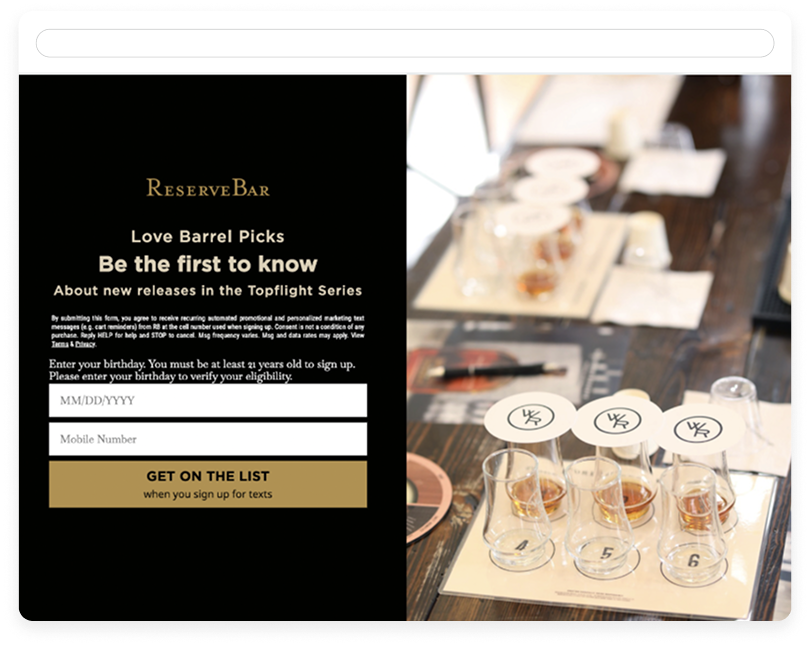
“Segmentation allowed us to see our audience sizes, figure out who we should be sending to, and use data most marketers wouldn’t normally have access to. It’s allowed us to really see what our audience looks like and what they want to see from us.”

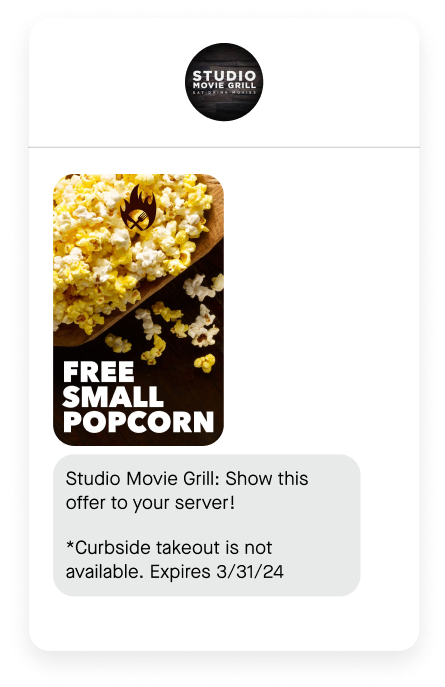
"By using Attentive's sign-up units to collect email and SMS opt-ins, we're able to gather crucial information that transforms anonymous visitors into identifiable prospects. Then, our welcome flow facilitates a smooth transition into joining our loyalty program, effectively bridging the gap from being an unknown visitor to becoming an engaged member."
Options: Image, Copy, and Button (Copy + Text).
It includes a Variant option that allows you to reverse the layout from right to left and vice versa.
To reuse the same section, you can unlink it and replace the image with a Lottie file.

Each card includes Image, Link, Pill, and Title properties.
Please note that this is a global component. However, if you change any properties directly on an instance, the changes will only apply to that single location.
To apply changes everywhere, you must update the component by opening and editing the main component.
Explore our resources
Go to the hub →







Partner with the proven leader in
SMS and RCS marketing
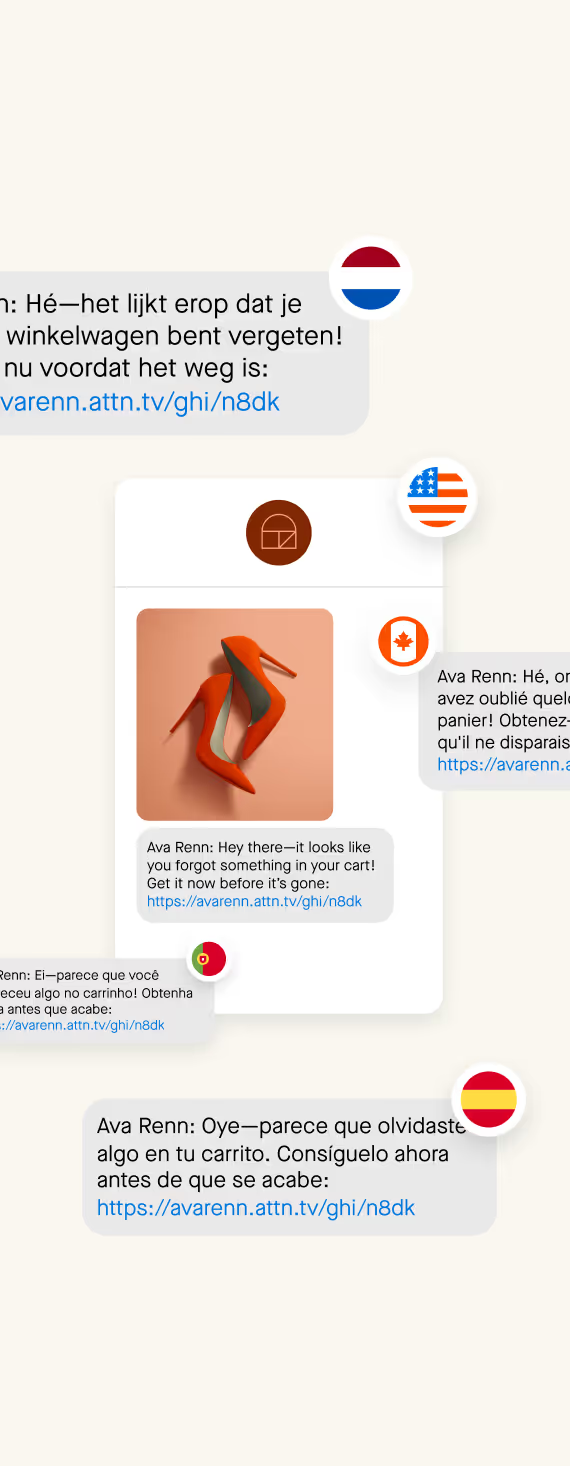
Consumers don’t just want to hear from your brand—they want
to text you back. Attentive gives you the tools and expertise to
deliver the personalized experience your subscribers want.
Case Study Filter: Uses special filtering that lets you directly select a case study by brand name.
Heading: Update or customize the section heading.
Section Background: Change the background of the entire section.
Metrics Visibility: Option to show or hide metrics within each case study card.
Michaels drives engagement and
conversions with multi-touch, multi-channel messages with magic composer


Image Asset: Update images for both desktop and mobile.
Heading: Edit the main heading of the section.
Background Color - Background color can be edited using simple css class.
Icons Visibility: Control icon visibility for all 4 cards.
Sub-Heading Visibility:Show or hide the sub-heading for all 4 cards.
4 Cards (Per Card Options): Each card includes the following controls:
- Visibility Toggle: Choose which cards are shown or hidden.
- Icon: Replace the icon for each card.
- Sub-Heading: Edit the sub-heading text.
- Title: Edit the title text.
- Stat: Number: Update the stat value.
- Description: Edit the stat description.

The mobile, AI-driven email solution
for global brands

Informed & Involved
Advanced automation for campaigns and journeys
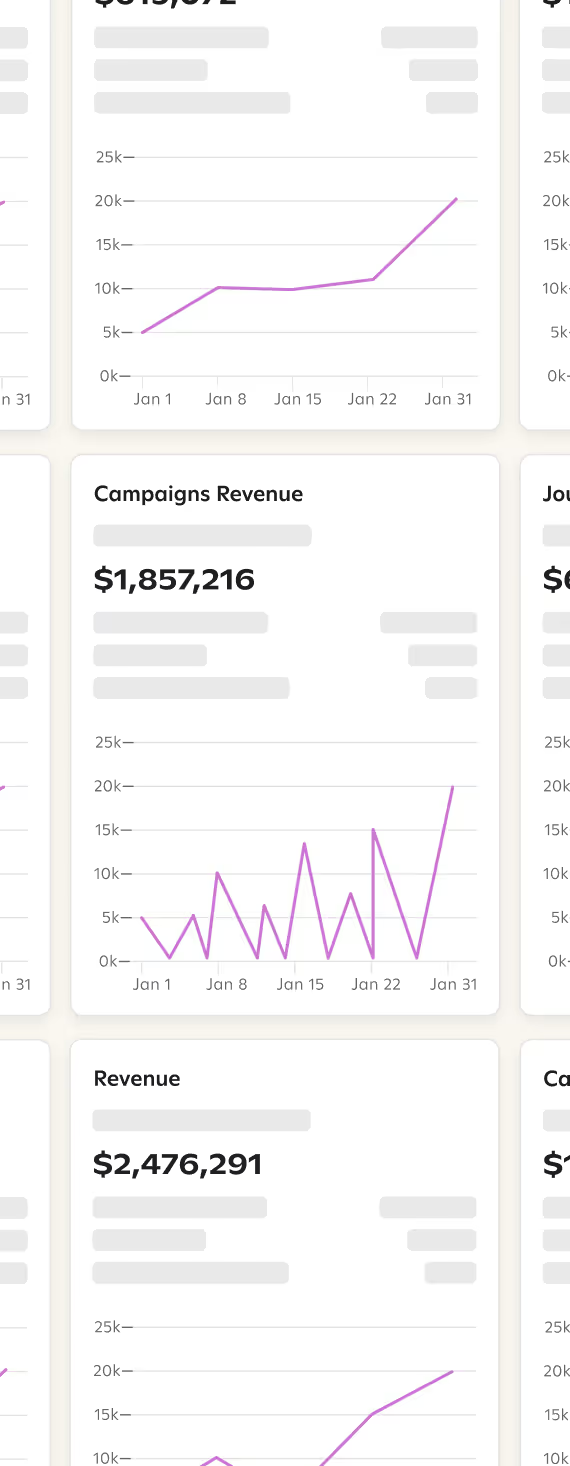
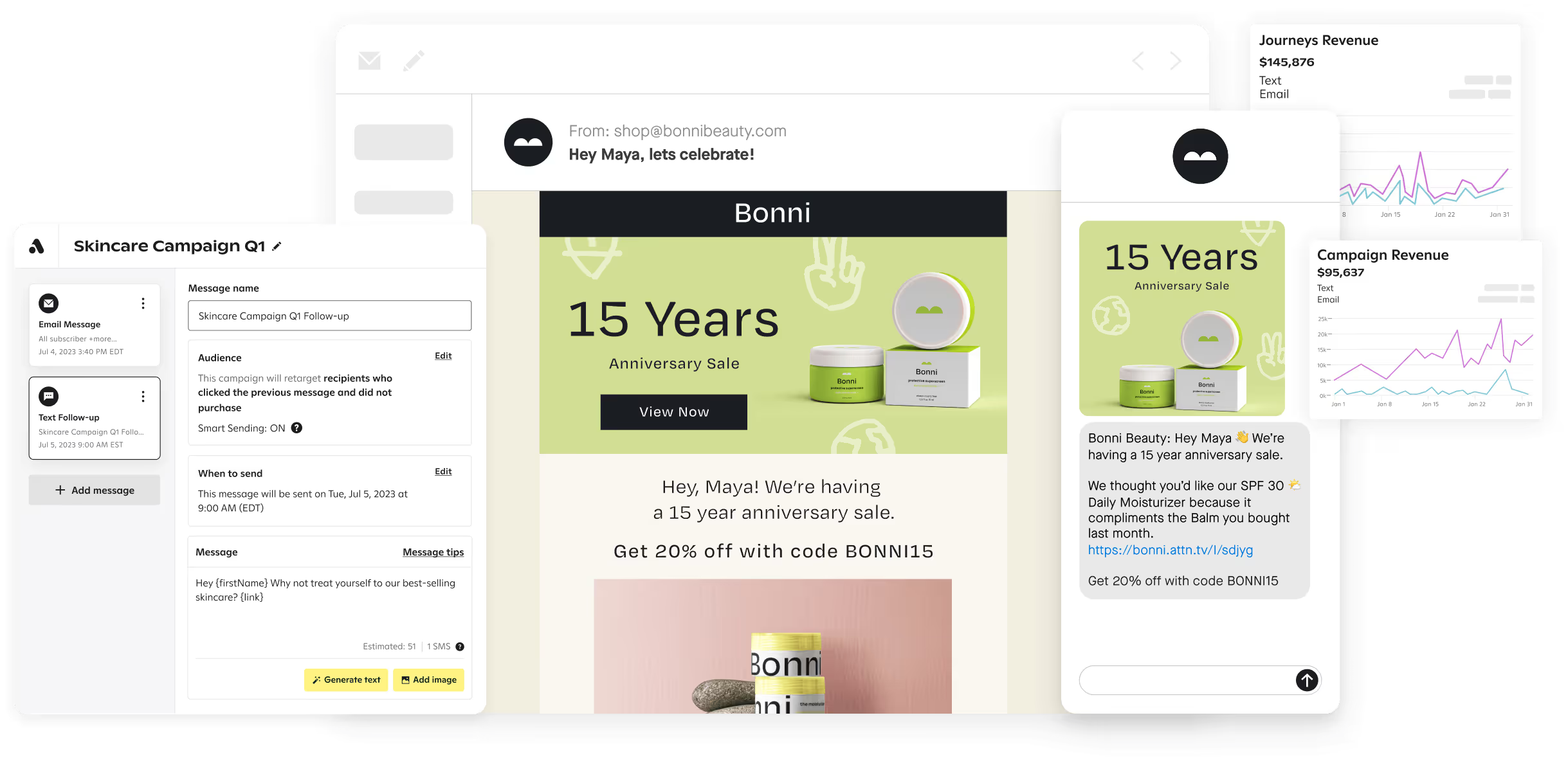
Attentive Email’s AI and automation capabilities are designed to help you orchestrate and maximize your text and email marketing programs and boost your customer touchpoints on one easy-to-use platform.

SUPPORT
Strategic guidance from launch to optimization
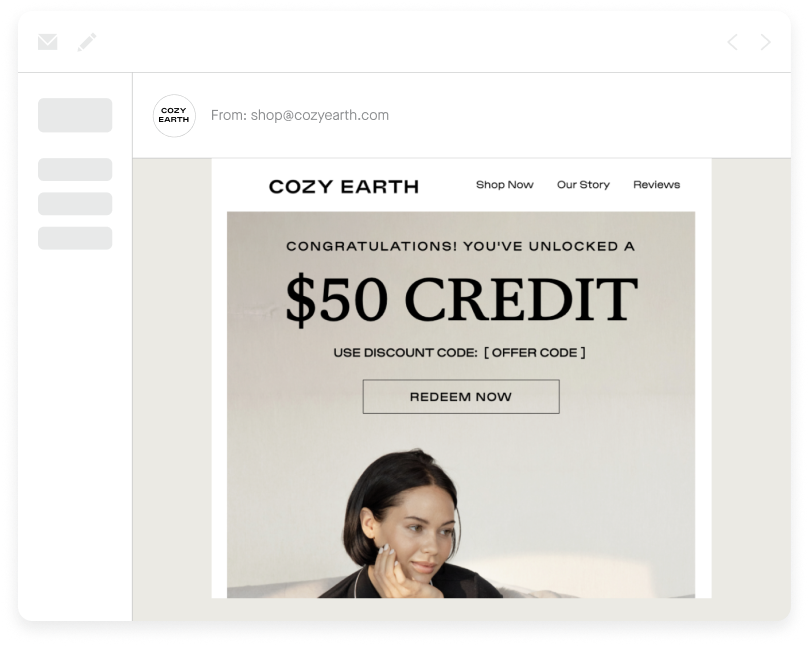
From complete migration in days rather than months to ongoing strategic guidance, our industry-leading team of experts work with you to build an email marketing program that inspires action and increases revenue.
SUPPORT
Strategic guidance from launch to optimization
From complete migration in days rather than months to ongoing strategic guidance, our industry-leading team of experts work with you to build an email marketing program that inspires action and increases revenue.
SUPPORT
Strategic guidance from launch to optimization
From complete migration in days rather than months to ongoing strategic guidance, our industry-leading team of experts work with you to build an email marketing program that inspires action and increases revenue.
Background Color:Change the background color of the section.
5 Pointers (Global Controls): For all 5 pointers, you can:
- Update the icon
- Edit the copy
- Toggle pointer visibility
units to collect opt-ins
across all your marketing
channels

Options
- Section Heading: Update the heading of the section.
- Background Color: Change the background color of the section.
- Number of Cards: Reduce the number of visible cards from 4 to 3 by hiding a card.
- Per Card Options: Each card includes:
- Icon: Replace or update the icon.
- Heading: Edit the card heading.
- Subheading: Edit the card subheading.
- Visibility : Card Visibility
Your customers want to converse with your
brand throughout their journey

88%
want to ask specific product questions

87%
want help
resolving issues with cart/checkout

70%
need product recommendations

87%
want to know what’s coming next
- Options
- Slider Section:
- Update - 3 slides.
- Background: Change the background of the slider section.
- Per Slide Options:
Each slide includes:- Featured Image: Upload the main image for the slide.
- Company Logo: Add or replace the logo.
- Testimonial Quote: Add the testimonial text.
- Person’s Name: Add the name of the person giving the testimonial.
- Designation: Add the person’s job title or designation in the company.
- Slider Section:







Options
- Background Color:
Change the background color of the section. - Section Heading:
Update the heading of the section. - Logos / Images:
Update or replace all 3 logos/images.
Award-winning Support
Options
- Section Heading:
Update the heading of the section. - Background Color:
Change the background color of the section. - Cards (4 Total):
The section contains 4 cards, and each card includes:- Visibility: Show or hide the card.
- Icon: Update or replace the icon.
- Heading: Edit the card heading.
- Paragraph: Edit the card description text.
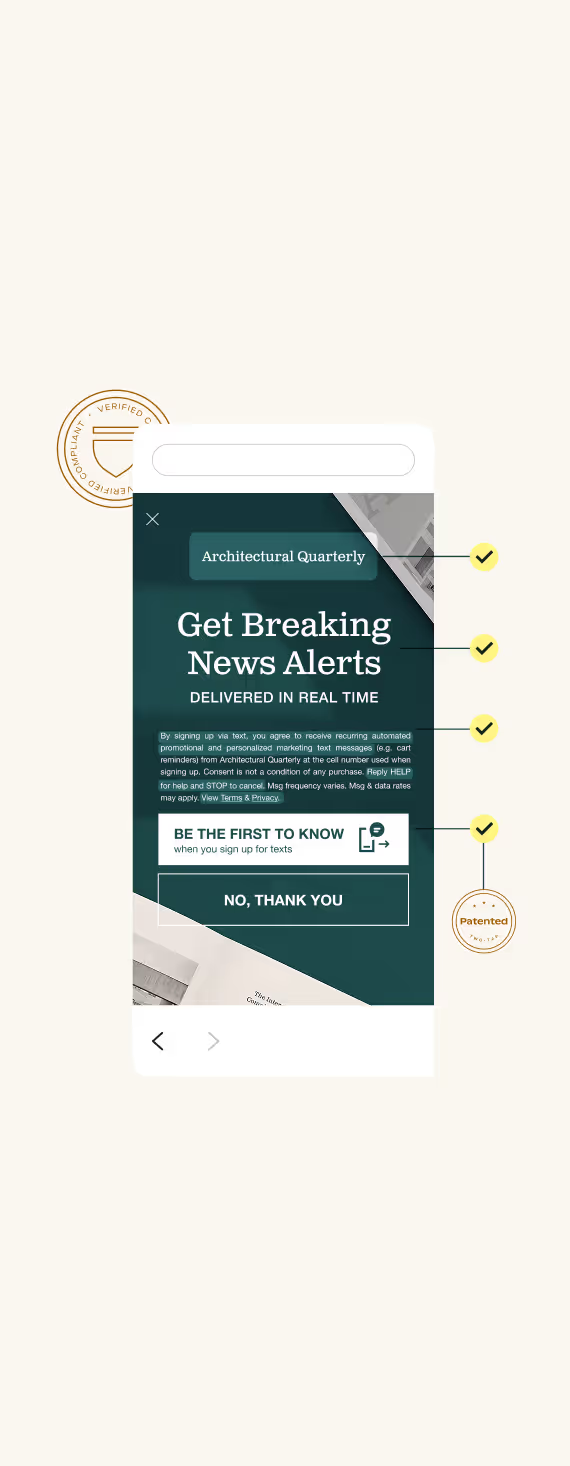
Reduce compliance burdens
every step of the way

Tools to help you meet legal requirements
Built-in compliance checks designed to help you grow your list with peace of mind.
Standard flows use double opt-in to re-affirm consent and validate phone number.
Patented two-tap sign up process for mobile; Reply Y for desktop.

Uphold best practices
Our team of full-time lawyers is dedicated to updating the Attentive platform in response to the changing regulatory and legal landscape.
Our Carrier Relations Team works with mobile carriers to inform our guidelines and thoroughly understand best practices around sending text messages.

Handle potential claims
Enhanced Audit Assistant helps you respond to TCPA complaints quickly and effectively with records of opt-in, opt-out message activity, and more.

Protect your SMS program and avoid litigation
Litigator Defender for TCPA automatically suppresses phone numbers known to be associated with SMS demands and/or lawsuits from subscriber lists.
Negative Sentiment Reminders guide subscribers indicating opt-out intent.
<!-- CSS -->
<style>
/* Animate Accordion Bottom Grid */
.accordion-css__item-bottom {
  transition: grid-template-rows 0.6s cubic-bezier(0.625, 0.05, 0, 1);
}

[data-accordion-status="active"] .accordion-css__item-bottom {
  grid-template-rows: 1fr;
}

/* Animate Icon */
.accordion-css__item-icon {
  transition: transform 0.6s cubic-bezier(0.625, 0.05, 0, 1);
}

[data-accordion-status="active"] .accordion-css__item-icon {
  transform: rotate(0.001deg);
}
</style>


<!-- Accordion JS -->
<script>
function initAccordionCSS() {
  document.querySelectorAll('[data-accordion-css-init]').forEach((accordion) => {
    const closeSiblings = accordion.getAttribute('data-accordion-close-siblings') === 'true';

    accordion.addEventListener('click', (event) => {
      const toggle = event.target.closest('[data-accordion-toggle]');
      if (!toggle) return; // Exit if the clicked element is not a toggle

      const singleAccordion = toggle.closest('[data-accordion-status]');
      if (!singleAccordion) return; // Exit if no accordion container is found

      const isActive = singleAccordion.getAttribute('data-accordion-status') === 'active';
      singleAccordion.setAttribute('data-accordion-status', isActive ? 'not-active' : 'active');

      // When [data-accordion-close-siblings="true"]
      if (closeSiblings && !isActive) {
        accordion.querySelectorAll('[data-accordion-status="active"]').forEach((sibling) => {
          if (sibling !== singleAccordion) sibling.setAttribute('data-accordion-status', 'not-active');
        });
      }
    });
  });
}

// Initialize Accordion CSS
document.addEventListener('DOMContentLoaded', () => {
  initAccordionCSS();
});
</script>
Options
- FAQs:
Add as many FAQs as needed by duplicating the FAQ item. - Section Heading:
Update the heading of the section. - Background:
Change the background of the section. - Per FAQ Options:
Each FAQ includes:- Question: Edit the FAQ question.
- Answer: Edit the FAQ answer.
Note:
Please add the custom code in the page settings for the animation to work.
This code controls whether the accordion opens or closes.
Frequently Asked Questions
Does Attentive offer any discounts or special pricing?
Yes, we offer discounts when you bundle multiple channels or premium AI products together to maximize value.
Does Attentive offer any discounts or special pricing?
Yes, we offer discounts when you bundle multiple channels or premium AI products together to maximize value.
Does Attentive offer any discounts or special pricing?
Yes, we offer discounts when you bundle multiple channels or premium AI products together to maximize value.
Section / Grid 5 Headshots
How to Set This Up:
- First, add the Section / Grid 5 Headshots block.
This acts as the main container that will hold all the profile cards. - Inside that section, add a Card / Headshot for each person you want to display.
- For each headshot card, choose the layout option (called a “variant”) named Grid-small.
That’s it! Once you’ve added all the headshot cards inside the section, they will automatically display in a neat grid layout.