
The emails that actually drive revenue don't just know your subscriber's name—they know what they do.
They know what someone browsed last Tuesday. What's sitting in their cart. Whether they're a first-time buyer or a loyal customer. And they use that information to show completely different content to different people—without making you build a hundred separate campaigns.
But here's where most marketers get stuck: traditional email builders make you choose between speed and sophistication. You can either spend weeks wrestling with complex templates and code, or you can settle for basic, static emails that treat everyone the same. Neither option is great.
The good news? It doesn't have to be this way.
In this guide, we'll show you how to build emails that actually perform—the kind that adapt to each subscriber, reliably reach the inbox, and drive real results. We'll cover:
- Personalization tactics that move the needle (beyond "Hi {{First Name}}")
- Deliverability fundamentals that protect your sender reputation
- Workflow strategies that help you move fast without cutting corners
No technical jargon. No developer required. Just practical approaches you can start using today.
Stop rebuilding emails from scratch every time
If you've ever spent hours tweaking an email template only to realize you can't personalize it the way you need to—you're not alone. Most email builders force you to choose: either stick with a rigid template that limits your creativity, or start from scratch every single time.
Attentive's email builder was designed to solve this exact problem.
Think in building blocks, not blank pages
Here's the shift: instead of designing one massive email, you're working with stackable rows. Each row is its own independent piece that you can style, move around, duplicate, or show only to specific subscribers.
Your header? That's a row. Your hero image? Another row. Product recommendations? You guessed it—also a row.
This means you can show completely different content to different people without building separate emails. No coding. No headaches.
Mobile experience that actually works
Let's talk about the elephant in the room: over half your subscribers are reading emails on their phones, but most of us still design for desktop first. Then we cross our fingers and hope it looks okay on mobile.
With Attentive, you decide exactly what appears on each device—and it's as simple as clicking a toggle.
Smart ways to use this:
- Hide those extra buttons on mobile so people aren't overwhelmed
- Swap in a mobile-optimized hero image that works on a vertical screen
- Put your most important message at the top for mobile viewers
Some brands even create completely different mobile experiences for their biggest campaigns. When 60% of your opens happen on phones, that extra effort pays off.
Make it personal without saying a word
Background images might sound like a small thing, but they're secretly one of your most powerful personalization tools.
Imagine showing summer-themed backgrounds to warm-weather shoppers and cozy winter scenes to cold-climate subscribers. Or displaying different visuals based on where someone is in their customer journey. It's visual storytelling that creates an emotional connection text alone can't achieve.
Pick the right tools for each job
Not all product displays are created equal. Here's the quick guide:
The decision is simple: Got a specific promotional goal? Go static. Sending a behavior-triggered message? Go dynamic.
Build once, use forever (seriously)
Picture this. You've designed the perfect email header. Great! Now you need to rebuild it for next week's campaign. And the week after that. And the week after that...
Sound familiar?
Saved and synced rows end this cycle. You build something once, and reuse it everywhere—no recreation required.
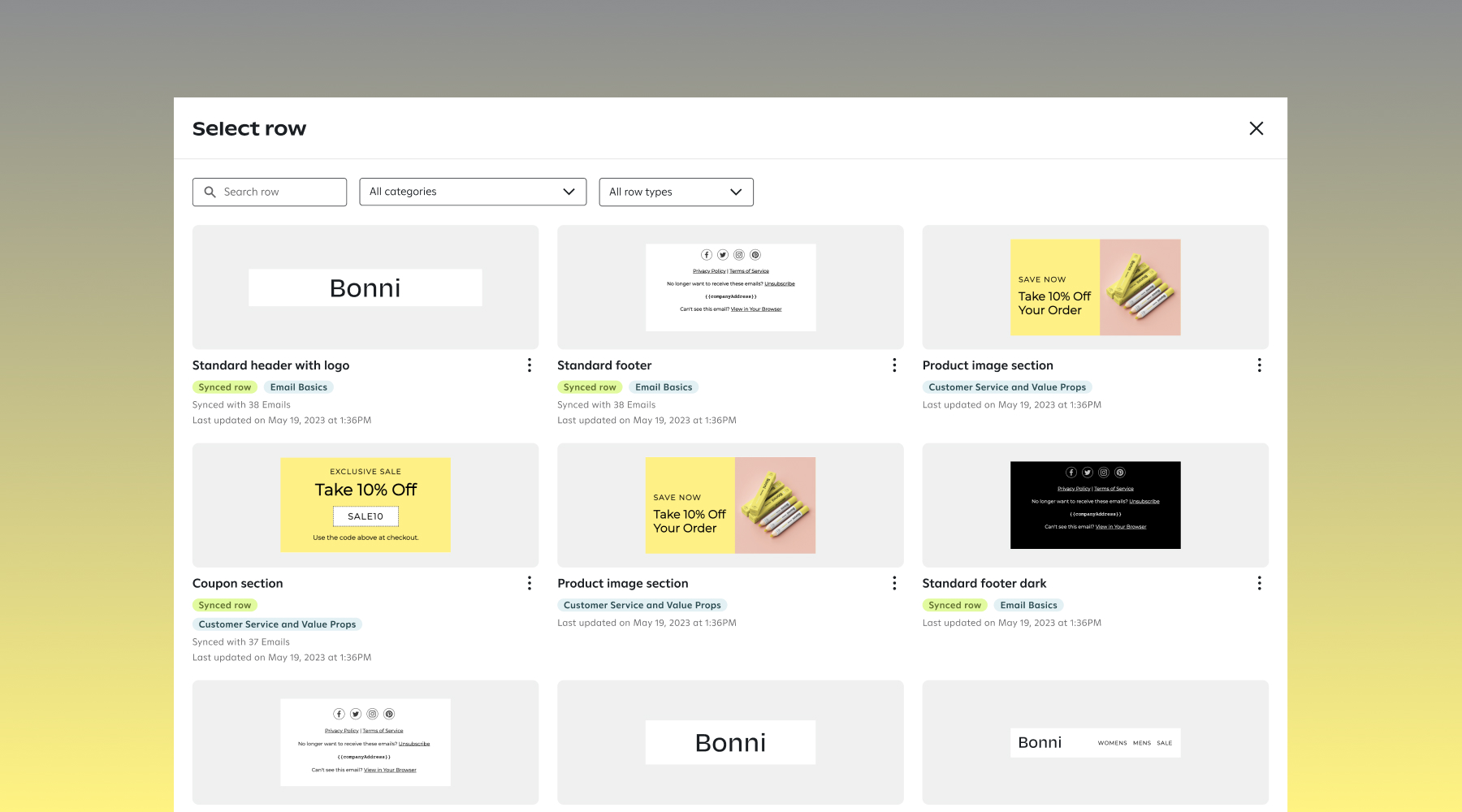
Saved rows let you create templates for things you'll customize each time (like hero sections or testimonial blocks). Make changes whenever you want, and they only affect future emails.
Synced rows are your set-it-and-forget-it elements. Update your footer once, and it updates everywhere—even in emails you've already scheduled. Perfect for headers, legal disclaimers, social icons, and promotional banners that need to stay consistent.
Pro tip: Create folders to organize everything (Headers, Footers, Hero Images, Product Grids). Trust us—when you have 100+ saved components, you'll thank yourself for setting this up early.
When "Hi [First Name]" isn't enough anymore
Let's be honest: putting someone's first name in an email isn't personalization—it's basic hygiene. Your subscribers expect it. Your competitors are already doing it. And it's definitely not what's going to make someone stop scrolling and actually click.
The emails that drive real results? They use what people do, not just who they are.
Show them you're paying attention
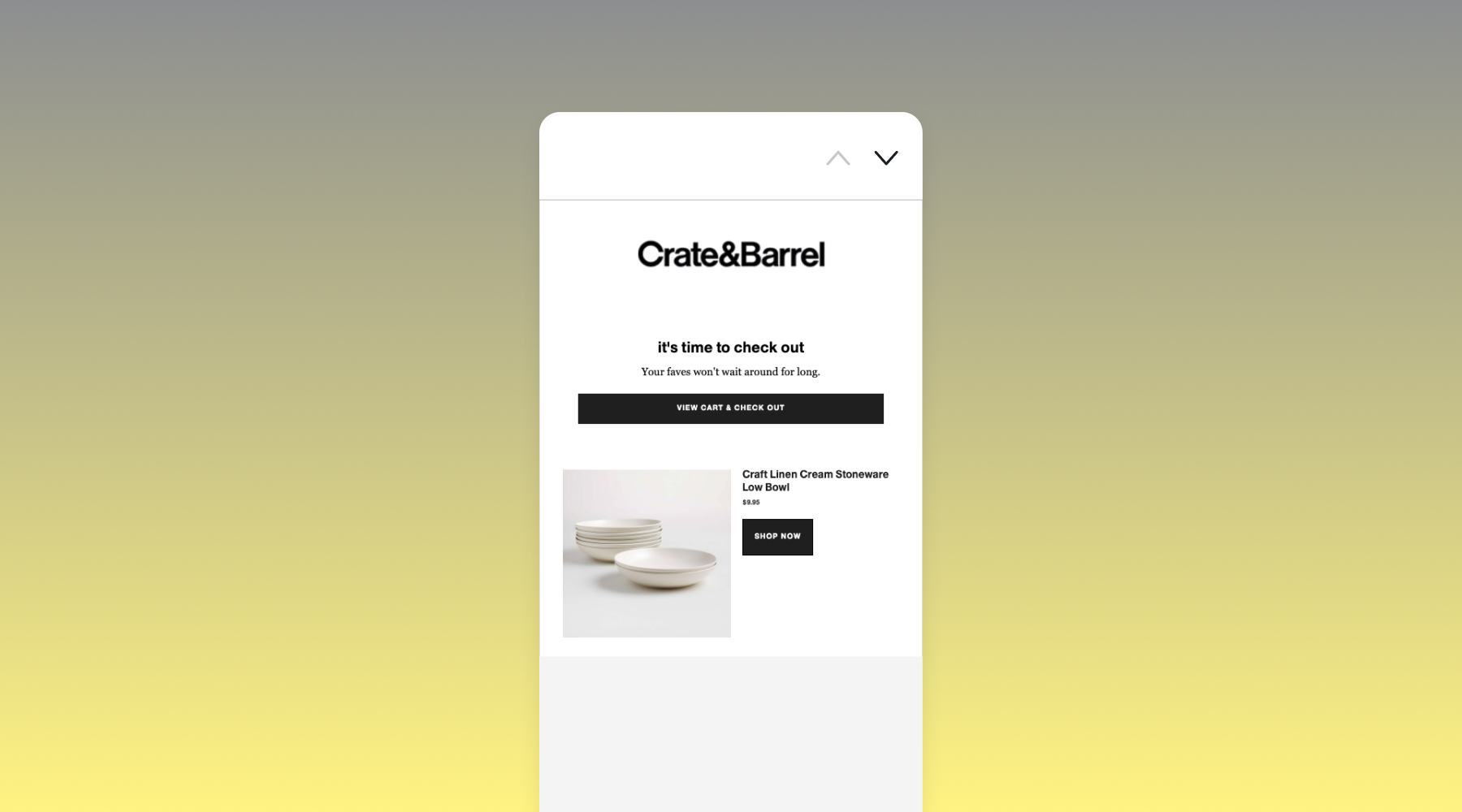
When someone abandons their cart, browses a specific product, or triggers any automated journey, Attentive captures that moment—and lets you reference it naturally in your email.
Instead of a generic "You left something behind," try:
"Still thinking about the {{product.name}}?"
"The {{product.name}} is still available at {{product.price}}"
And here's the best part: you can automatically show an image of that exact product without any manual work. It just... appears. Like you built that email specifically for them (because, well, you kind of did).
Get to know your customers beyond the basics
First-time buyer. VIP. Big spender. Bargain hunter. Window shopper. You know these people exist in your list, but are you actually treating them differently?
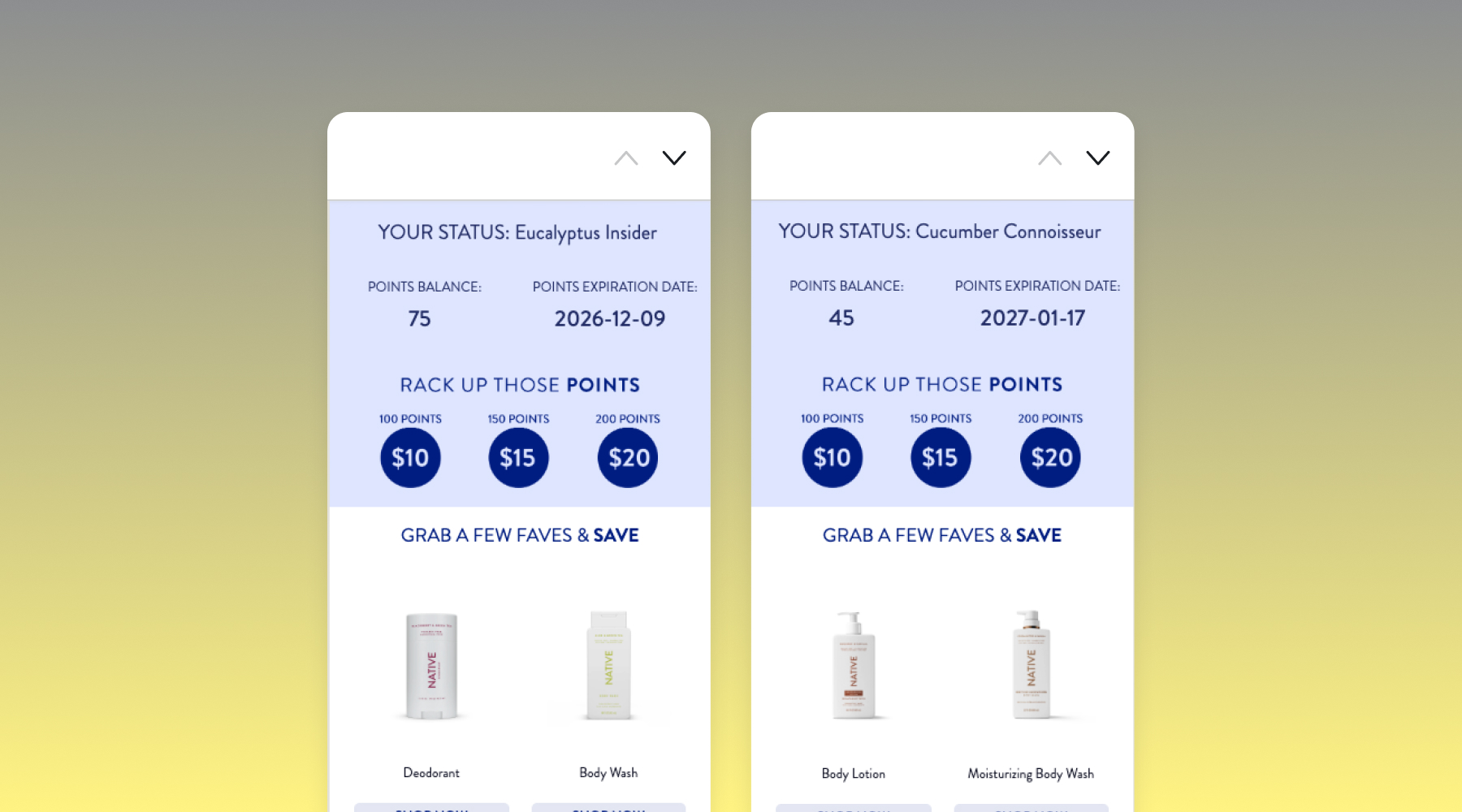
Custom attributes let you store the details that matter for your business—loyalty tier, lifetime value, how often someone buys, what categories they love. Then you can use that information to show completely different content to different people, all within the same email.
Cross-channel bonus: If you're using both email and SMS with Attentive, your discount codes sync automatically. Send a unique code via text, and it's ready to use in email too. Your customer sees the same offer everywhere, and you look like the organized brand you are.
One email template, infinite variations
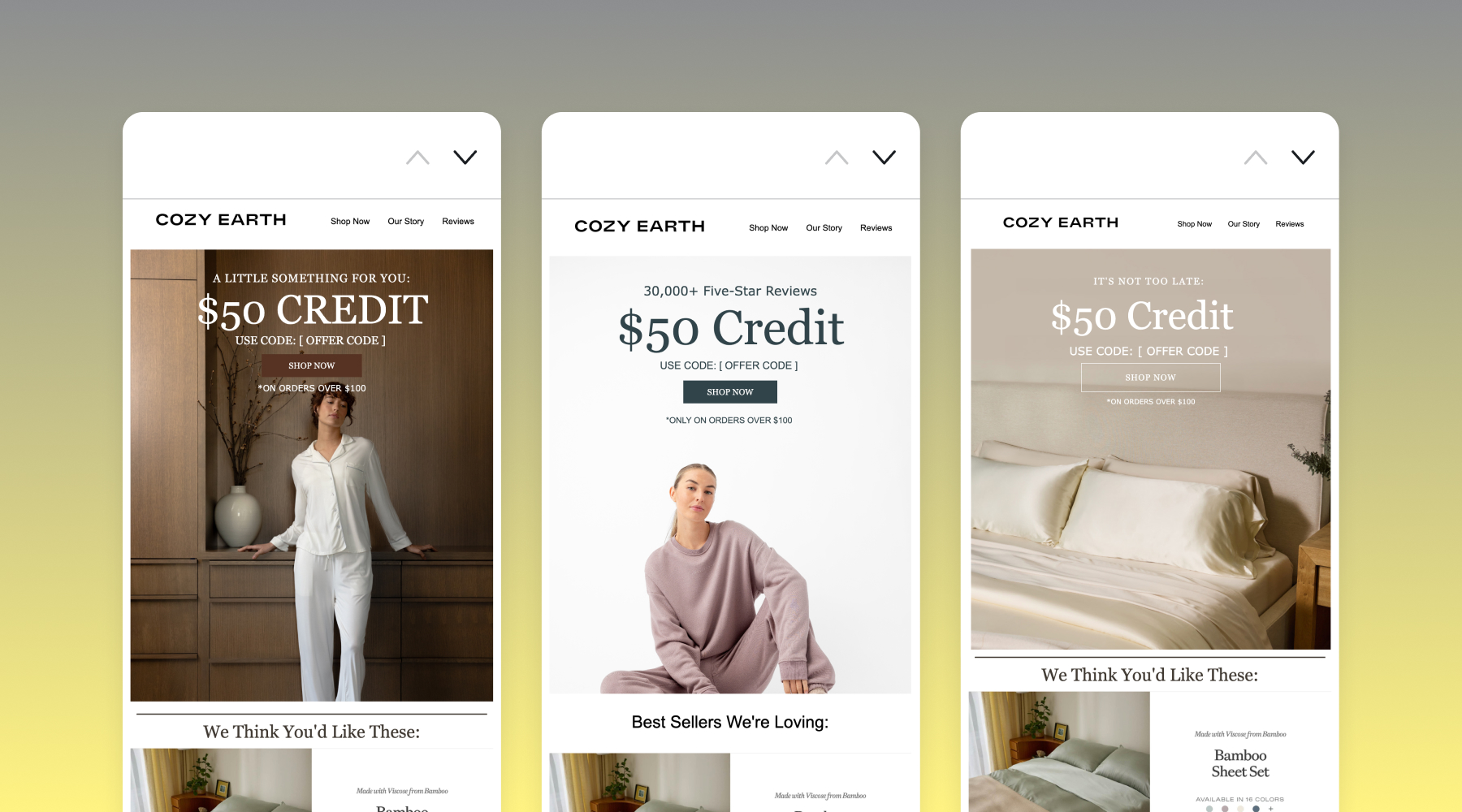
Here's where things get interesting. Imagine sending a single campaign that shows your clearance section to bargain hunters, new arrivals to trend-seekers, and bestsellers to everyone else—all at the same time, from the same template.
No separate campaigns. No duplicate work. No scheduling headaches.
How it works:
- Pick the row you want to show conditionally
- Click "Manage condition"
- Choose your criteria (like "if loyalty tier equals VIP" or "if purchase history includes X")
- Save it
Done. That row now only shows up for the people it's meant for.
Let AI do the guesswork
Here's a truth every marketer knows: you can't manually pick the perfect product for every single person on your list. You can do it for your campaigns, sure. But for true personalization at scale? Impossible.
That's where AI recommendations come in.
How it actually works (without the tech speak)
Attentive's AI looks at what people have been doing for the last 90 days—what they bought, added to cart, or spent time viewing. It finds patterns in behavior, groups similar shoppers together, and recommends products that people like them tend to buy.
The system updates itself as new data rolls in, so recommendations stay relevant without you lifting a finger.
Stay in control of what gets recommended
AI is smart, but you still run the show. You don't want the system recommending:
- Products that are out of stock
- Items way outside someone's price range
- Things that don't fit your current campaign strategy
So when you add product recommendations, you can set filters:
- Collection: Only pull from specific categories (no winter coats in July)
- Price range: Set minimum or maximum prices
- Inventory quantity: Only show items with X+ units in stock
- Tags: Use custom tags to feature bestsellers, seasonal items, or clearance
Stack as many filters as you need. The AI handles the predictions. You handle the strategy.
It all starts with reaching the inbox
You could craft the most brilliant, perfectly personalized email in the world. But if it lands in spam? It might as well not exist.
Deliverability isn't some technical backend thing you can ignore—it's the foundation of everything. If your emails don't reach inboxes, your strategy is dead in the water.
Bigger isn't always better
Here's something that surprises a lot of marketers: Gmail, Outlook, and other mailbox providers don't care about your list size. They care about whether people actually want to hear from you (i.e do they engage with your emails?).
A smaller list of people who love your emails will always outperform a massive list of people who ignore them.
Real numbers:
- 30% open rate on 50,000 engaged subscribers = 15,000 opens
- 10% open rate on 150,000 disengaged subscribers = 15,000 opens
Same number of opens, but that first list has way better sender reputation—which means better inbox placement for everyone.
Set it and forget it (the good kind)
Good news: Attentive automatically handles the cleanup work that used to eat up your time.
We automatically suppress addresses that hurt your deliverability:
- Typo domains (like gmai.com or yahooo.com)
- Spam complaints (when someone marks you as junk)
- Chronic non-deliverers (addresses that bounce 3+ times)
- Hard bounces (addresses that don't exist anymore)
Keep an eye on things like your spam complaints, bounce rates, and low email engagement, though. If it's climbing, that's a red flag that something's wrong with how you're growing your list.
Know when to say goodbye (but try to win them back first)
Here's an uncomfortable truth: not everyone who subscribes will stay interested forever. People's needs change. Inboxes get overwhelming. Life happens.
The question is, do you keep emailing them anyway, watching your engagement rates tank? Or do you make one last effort to win them back—and then respectfully let them go?
Our recommendations for working with inactive subscribers:
For anyone who hasn't opened in 6+ months, set up a re-engagement journey:
- Email 1: "We've missed you" with your best offer
- Email 2: Let them update preferences (less frequent? different topics? switch to SMS instead?)
- Email 3: "This is our last message" with a one-click option to stay subscribed
If they still don't engage? It's time to move on. Suppress them from your list. It's better for your metrics, and honestly, it's better for them too—one less unwanted email in their inbox.
You got this
Here's the thing about personalization: it's not about sending more emails. It's about sending smarter ones—messages that actually understand where each person is in their relationship with your brand.
Attentive's email builder gives you everything you need to do this without keeping a developer on speed dial. It's drag-and-drop simple on the surface, but sophisticated underneath. You get to move fast without cutting corners.
Your game plan:
- Start with the basics. Clean your list, nail your deliverability, write clear messages.
- Layer in the smart stuff. Add behavioral triggers, conditional content, and AI recommendations.
- Never stop testing. Your customers will tell you what's working through their opens, clicks, and purchases.
The tools are ready. Your data is ready. Now it's time to build emails that people actually want to open.